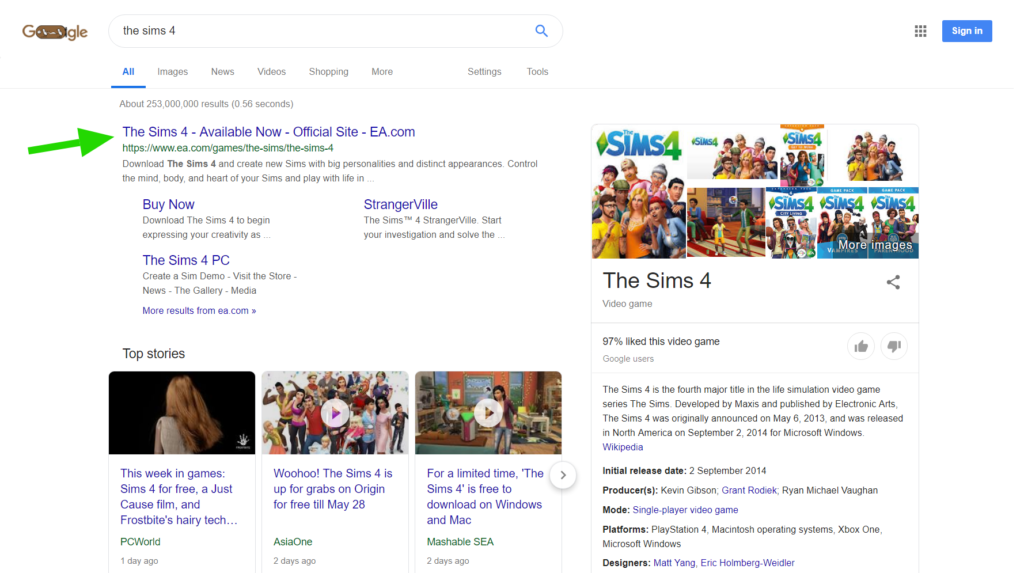
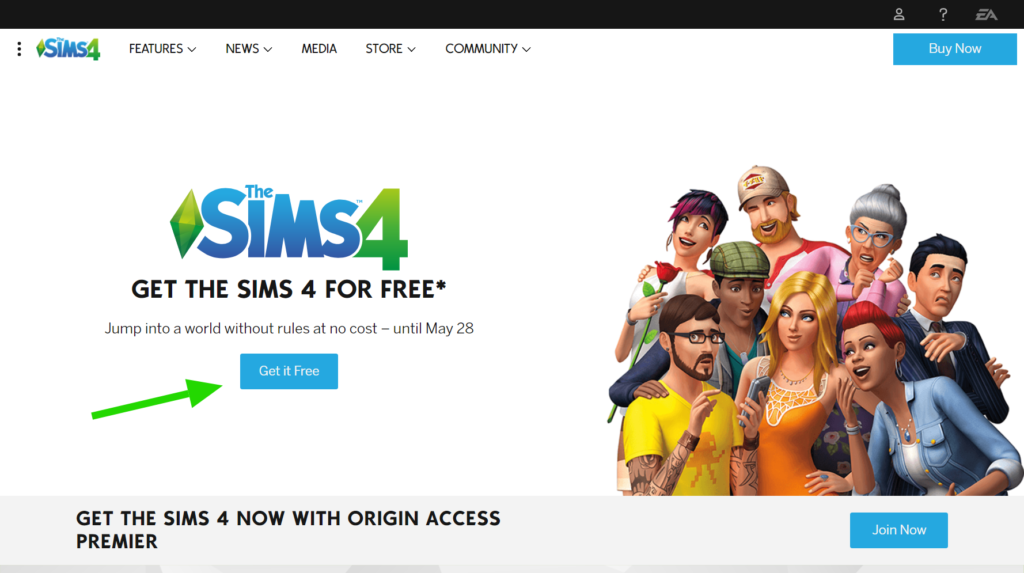
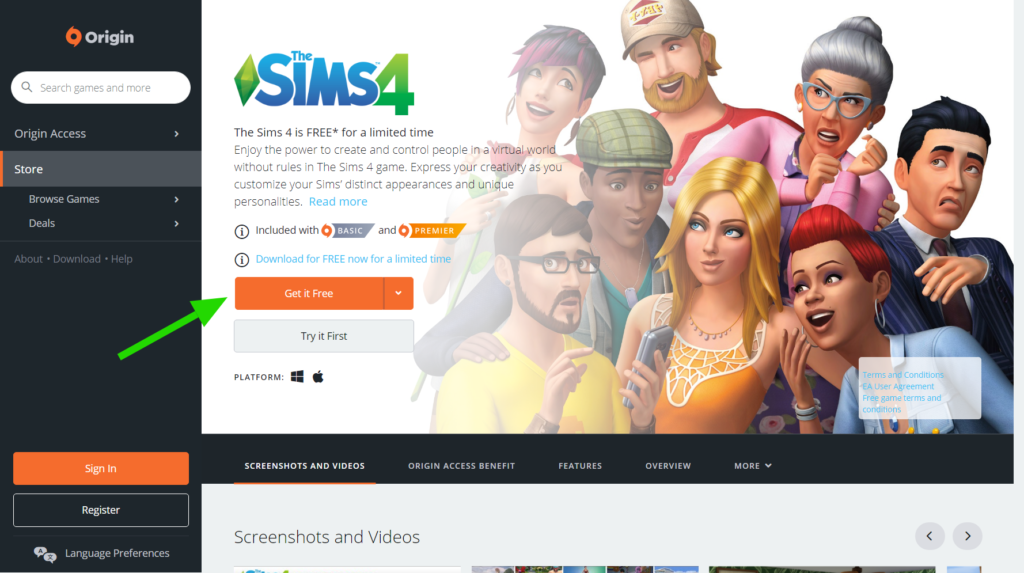
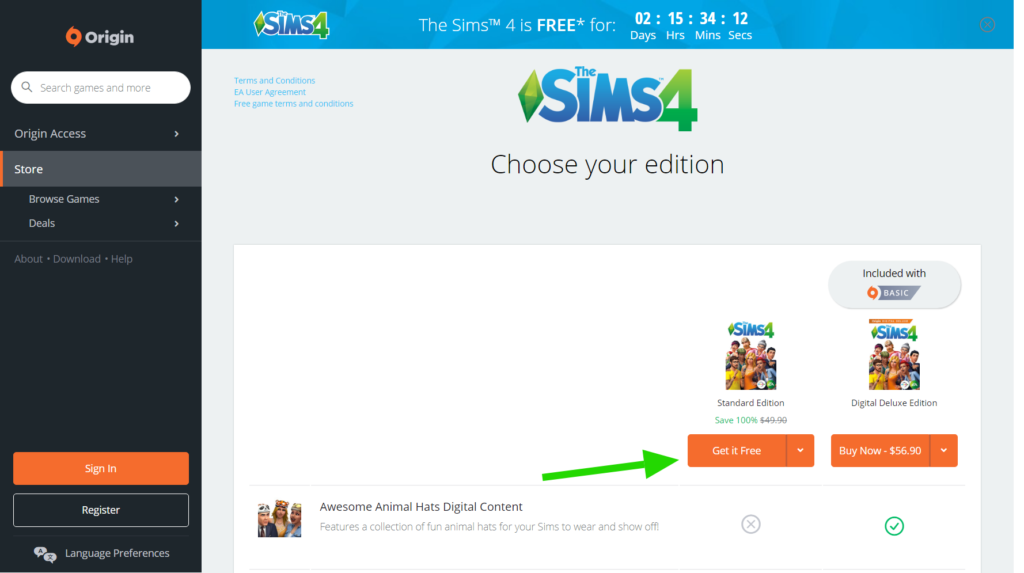
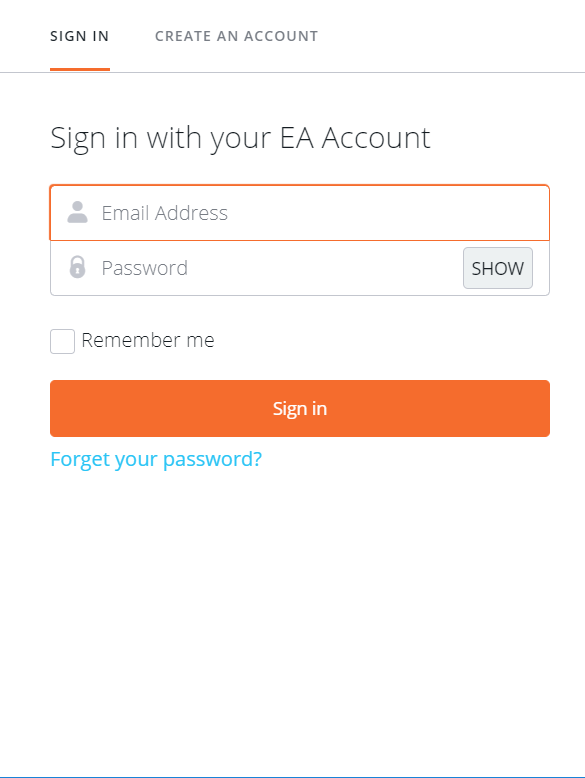
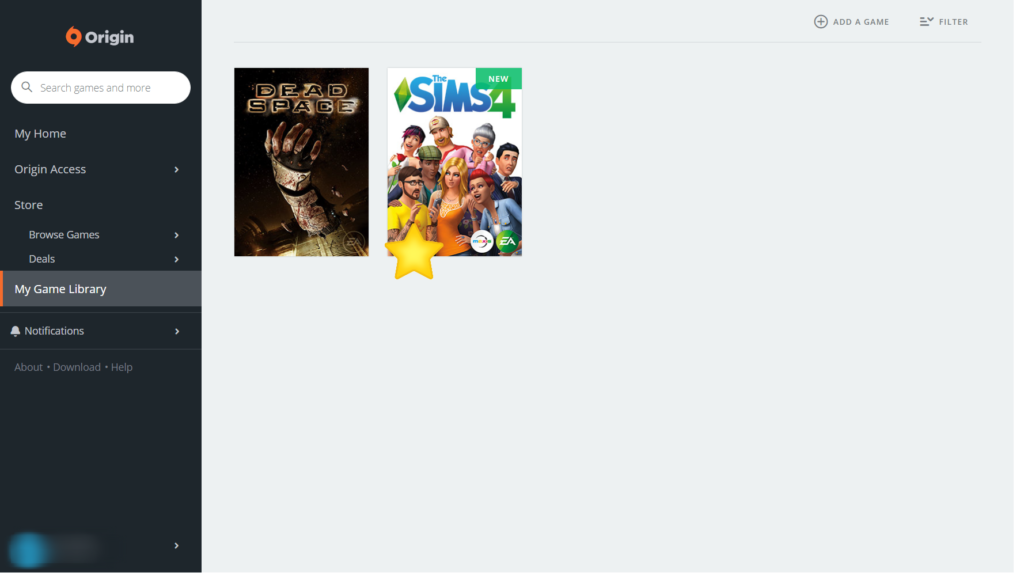
Step 1:Google 搜尋 'the sims 4' , 去 ea.com 的官網<img class="aligncenter size-large wp-image-1579" src="https://hellohim.com/blog/wp-content/uploads/2019/05/Snapshot_2019-05-26_092203-1024x573.png" alt="" width="1024" height="573"> Step 2:在官網找到 The Sims 4 PC , 按下 'Get It Free'<img class="aligncenter size-large wp-image-1580" src="https://hellohim.com/blog/wp-content/uploads/2019/05/Snapshot_2019-05-26_092346-1024x573.png" alt="" width="1024" height="573"> <img class="aligncenter size-large wp-image-1581" src="https://hellohim.com/blog/wp-content/uploads/2019/05/Snapshot_2019-05-26_092423-1024x573.png" alt="" width="1024" height="573"> <img class="aligncenter size-large wp-image-1582" src="https://hellohim.com/blog/wp-content/uploads/2019/05/Snapshot_2019-05-26_092509-1024x573.png" alt="" width="1024" height="573"> <img class="aligncenter size-large wp-image-1583" src="https://hellohim.com/blog/wp-content/uploads/2019/05/Snapshot_2019-05-26_092547-1024x573.png" alt="" width="1024" height="573"> Step 3:登錄後便可以免費得到 The Sim 4 了! <img class="aligncenter size-full wp-image-1577" src="https://hellohim.com/blog/wp-content/uploads/2019/05/opera_2019-05-25_20-24-53.png" alt="" width="585" height="778"> <img class="aligncenter size-large wp-image-1584" src="https://hellohim.com/blog/wp-content/uploads/2019/05/2019-05-26_102409-1024x573.png" alt="" width="1024" height="573">






Discussion about this post