Back to HelloHim.com
Hello Blog
No Result
View All Result
  • 免費資源
    • 限免
  • 科技
    • 網頁設計開發
  • 遊戲
    • Crash Royal
    • PUBG Mobile
    • Monster Hunter
  • 學習
Hello Blog
  • 免費資源
    • 限免
  • 科技
    • 網頁設計開發
  • 遊戲
    • Crash Royal
    • PUBG Mobile
    • Monster Hunter
  • 學習
No Result
View All Result
No Result
View All Result
Hello Blog

VM with VMware and Ubuntu

July 19, 2020
in 科技
2 min read
Home 科技

1. Download VMware Workstation Player
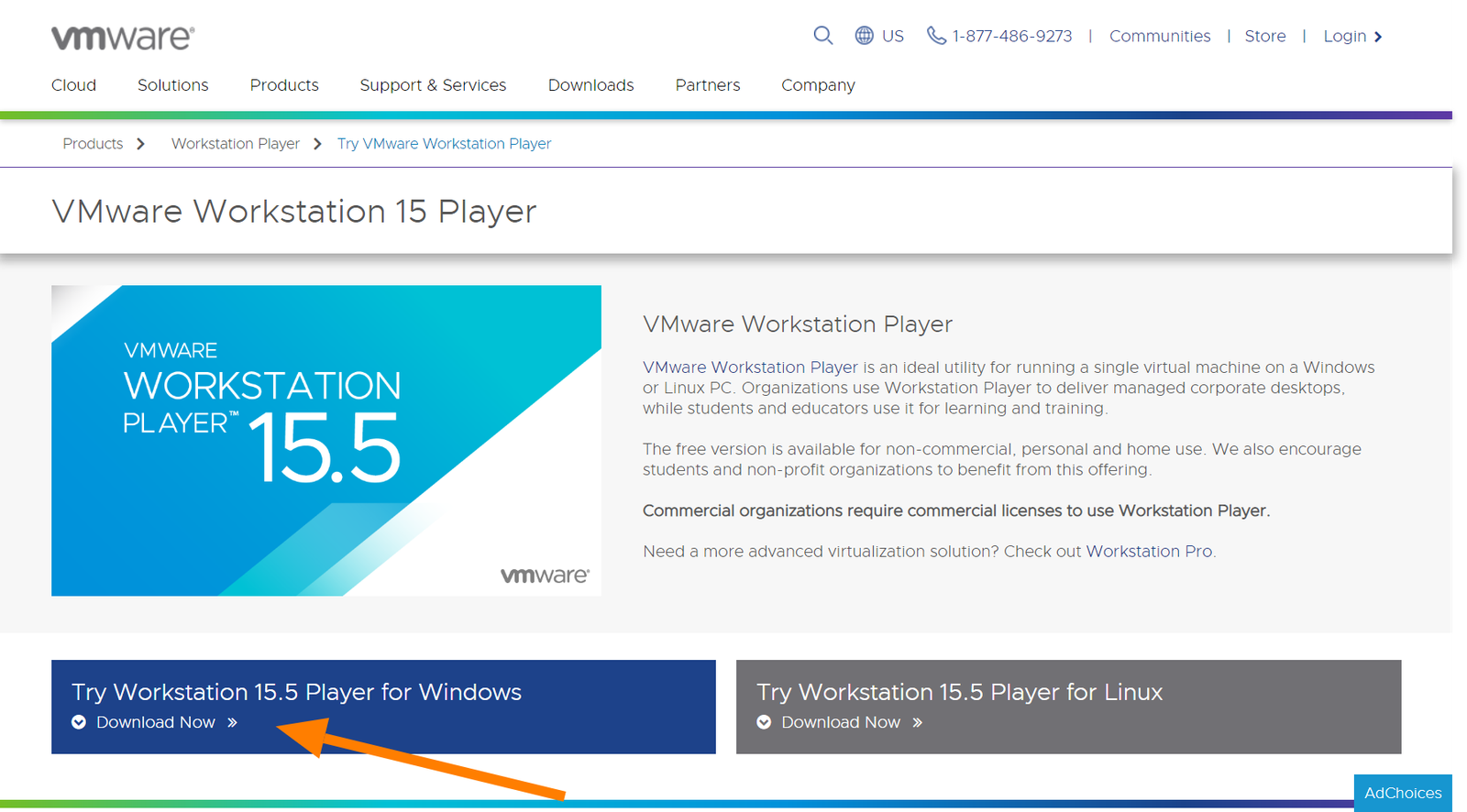

2. Download Ubuntu desktop iso file
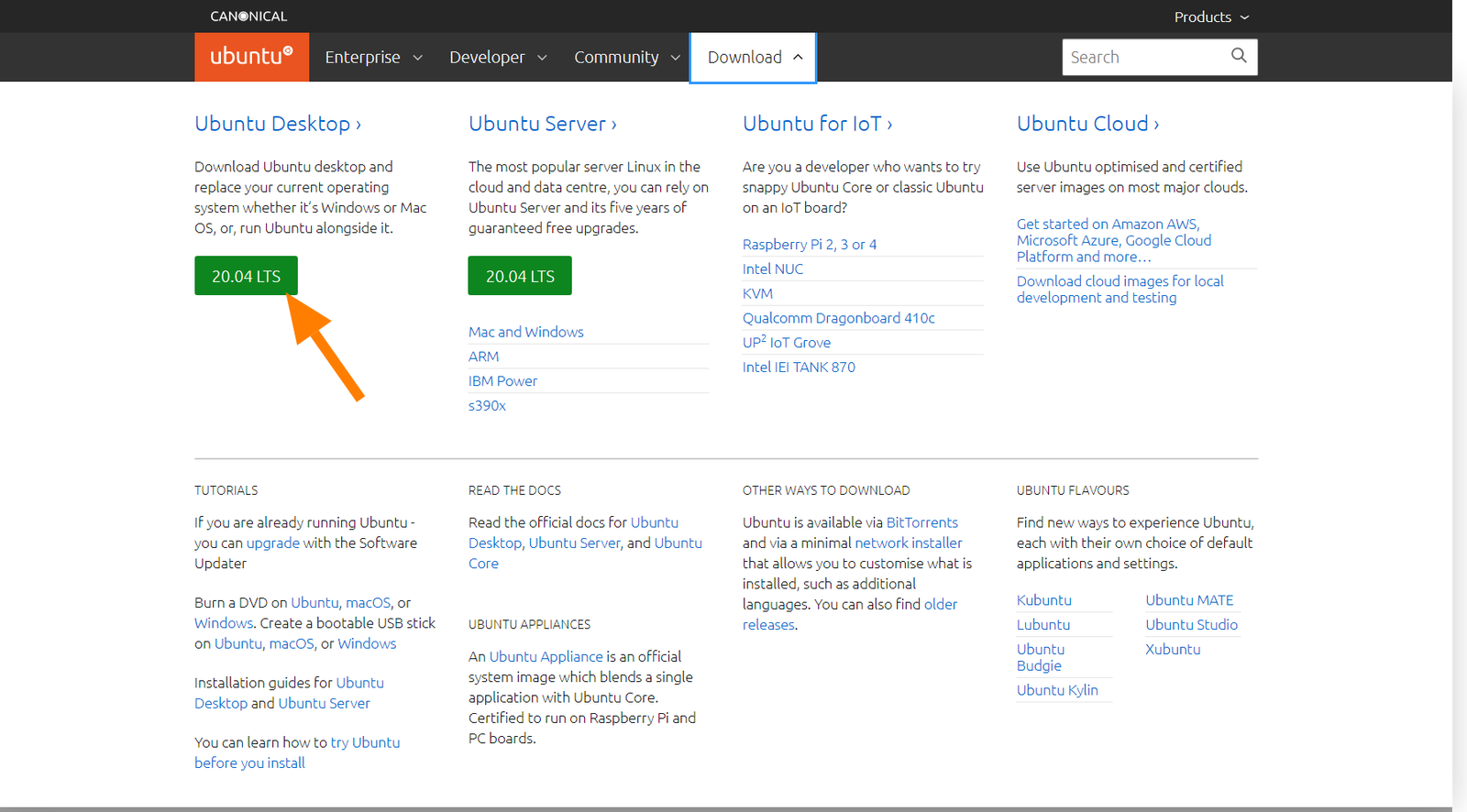
3. Create a VM
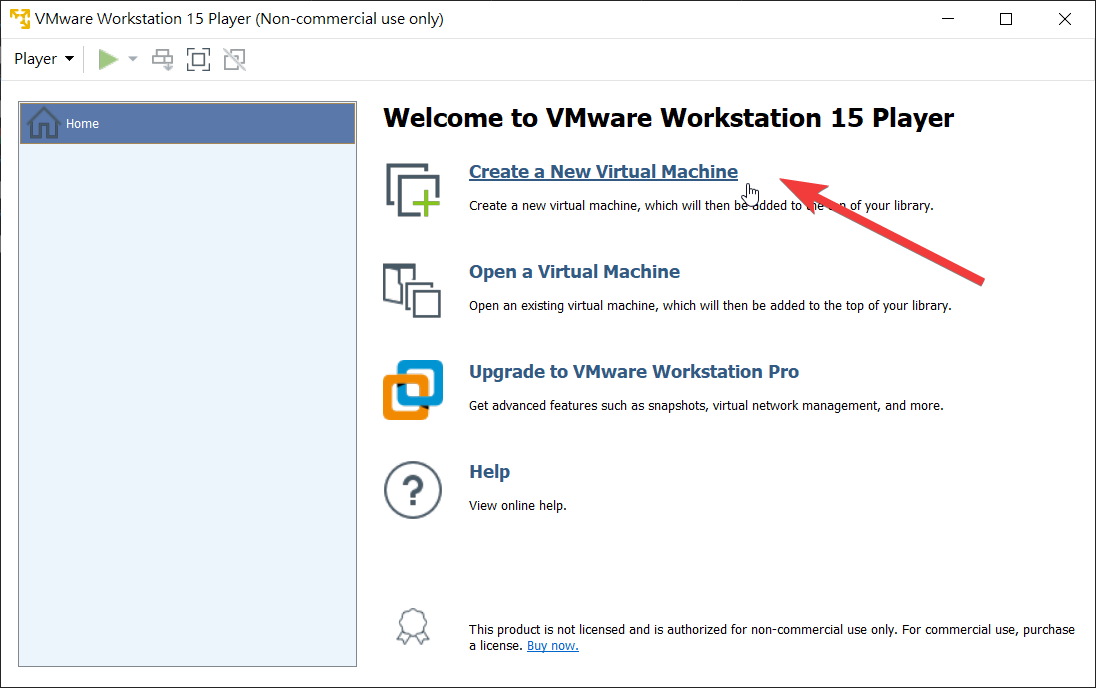
4. Select Ubuntu iso file
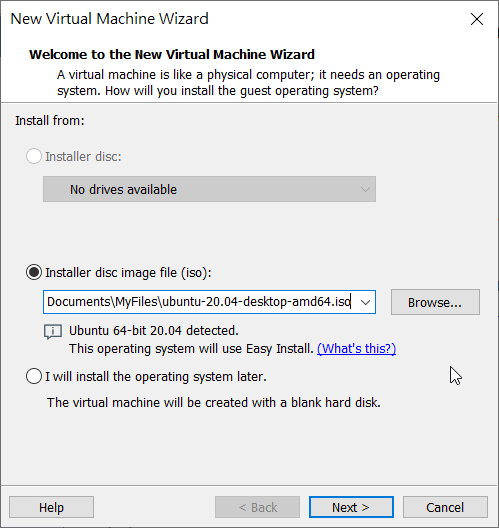
5. Customize Disk Size
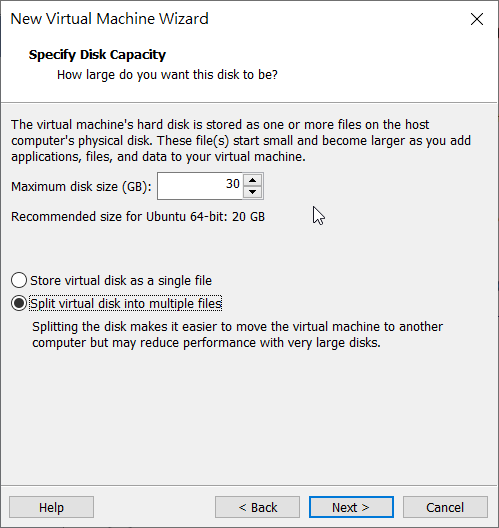
6. Customize Hardware
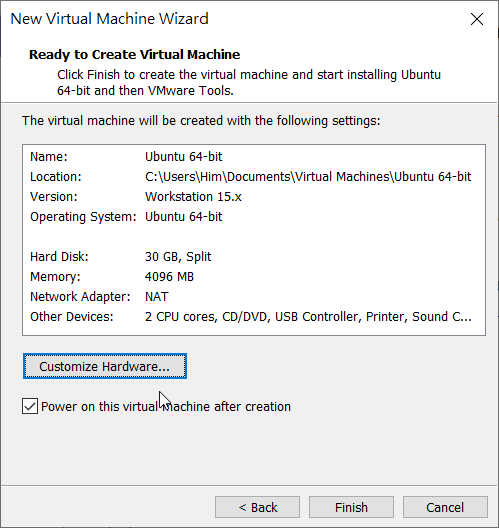
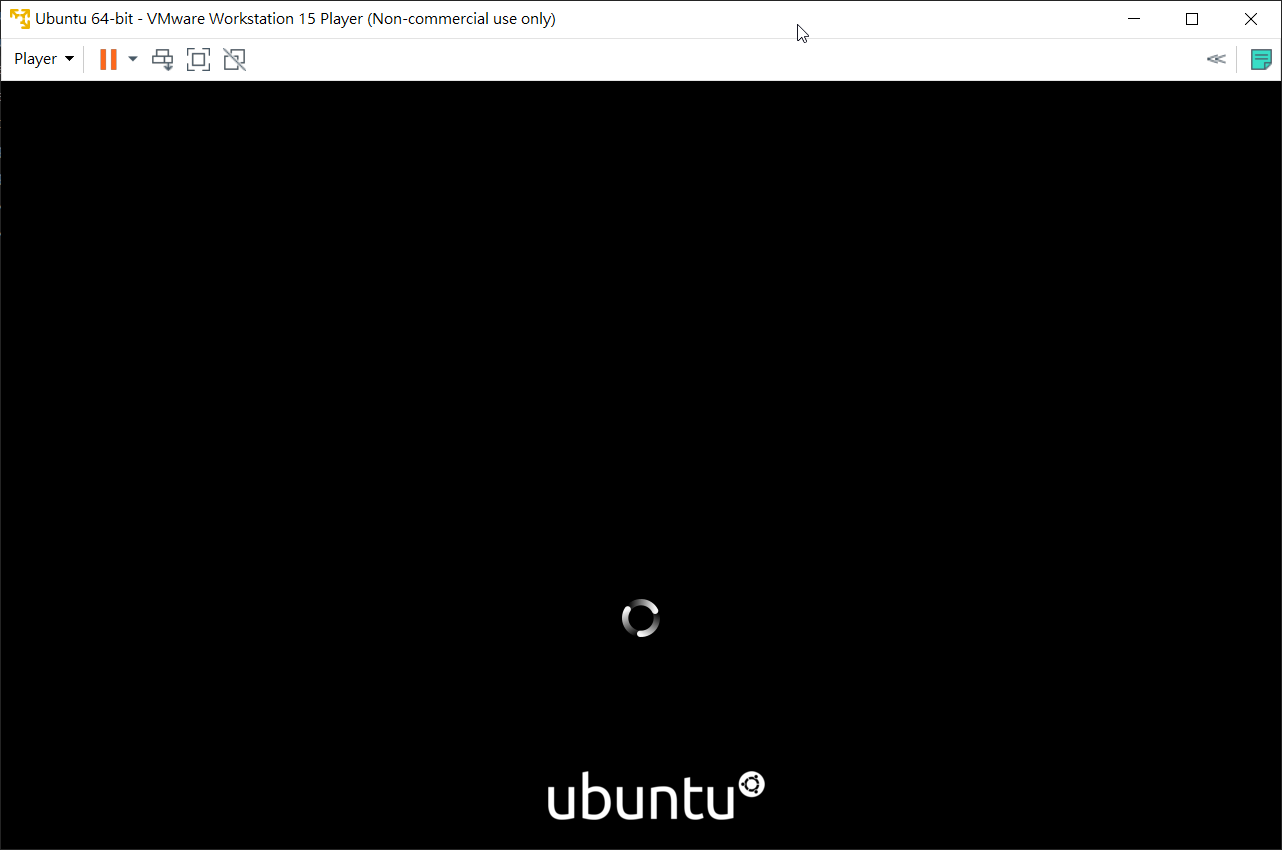
7. Installing
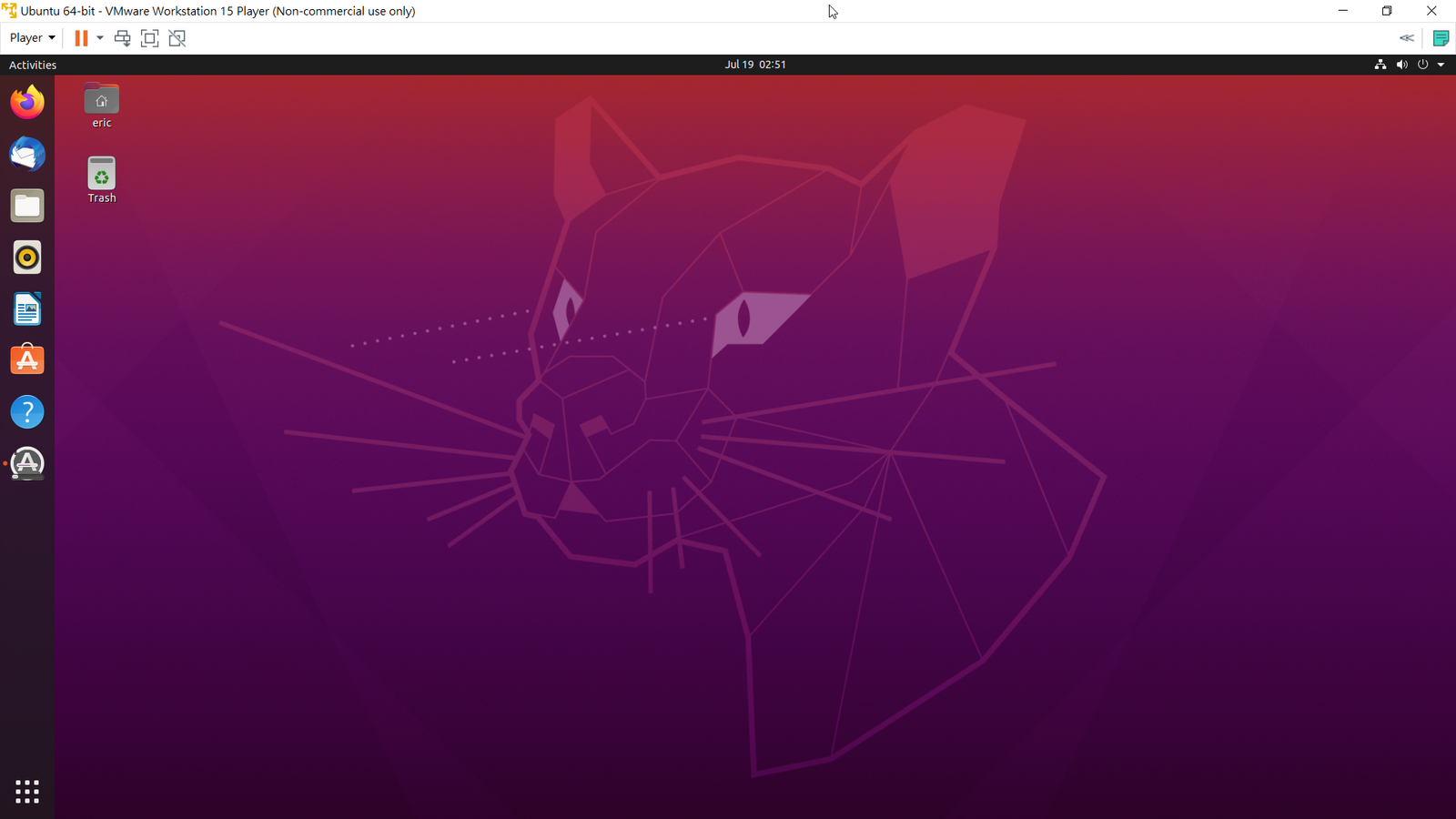
8. Successfully installed

ShareTweetShare
Previous Post

DJI 航拍 2020-06-20

Related Posts

DJI 航拍 2020-06-20
航拍

DJI 航拍 2020-06-20

June 22, 2020
Accel World vs. Sword Art Online

Accel World vs. Sword Art Online

June 20, 2020
歐洲旅遊 – 英國, 法國
旅遊

歐洲旅遊 – 英國, 法國

June 13, 2020

Discussion about this post

  • 免費資源
  • 科技
  • 遊戲
  • 學習
Hello! Welcome to Hello Blog

© 2019 HelloHim.com.

No Result
View All Result
  • 免費資源
    • 限免
  • 科技
    • 網頁設計開發
  • 遊戲
    • Crash Royal
    • PUBG Mobile
    • Monster Hunter
  • 學習

© 2019 HelloHim.com.